
Compare Rates
View all available shipping options from multiple carriers in a single view, sorted by price for easy comparison.
Shipping Estimates allows you to get shipping rate estimates from multiple carriers before creating an order or processing a shipment. Simply enter destination information, dimensions, and package weight, and the system will show all available shipping options with their prices.
This tool is useful for comparing rates between different carriers and shipping methods, helping you make informed decisions about the best shipping method for your needs.
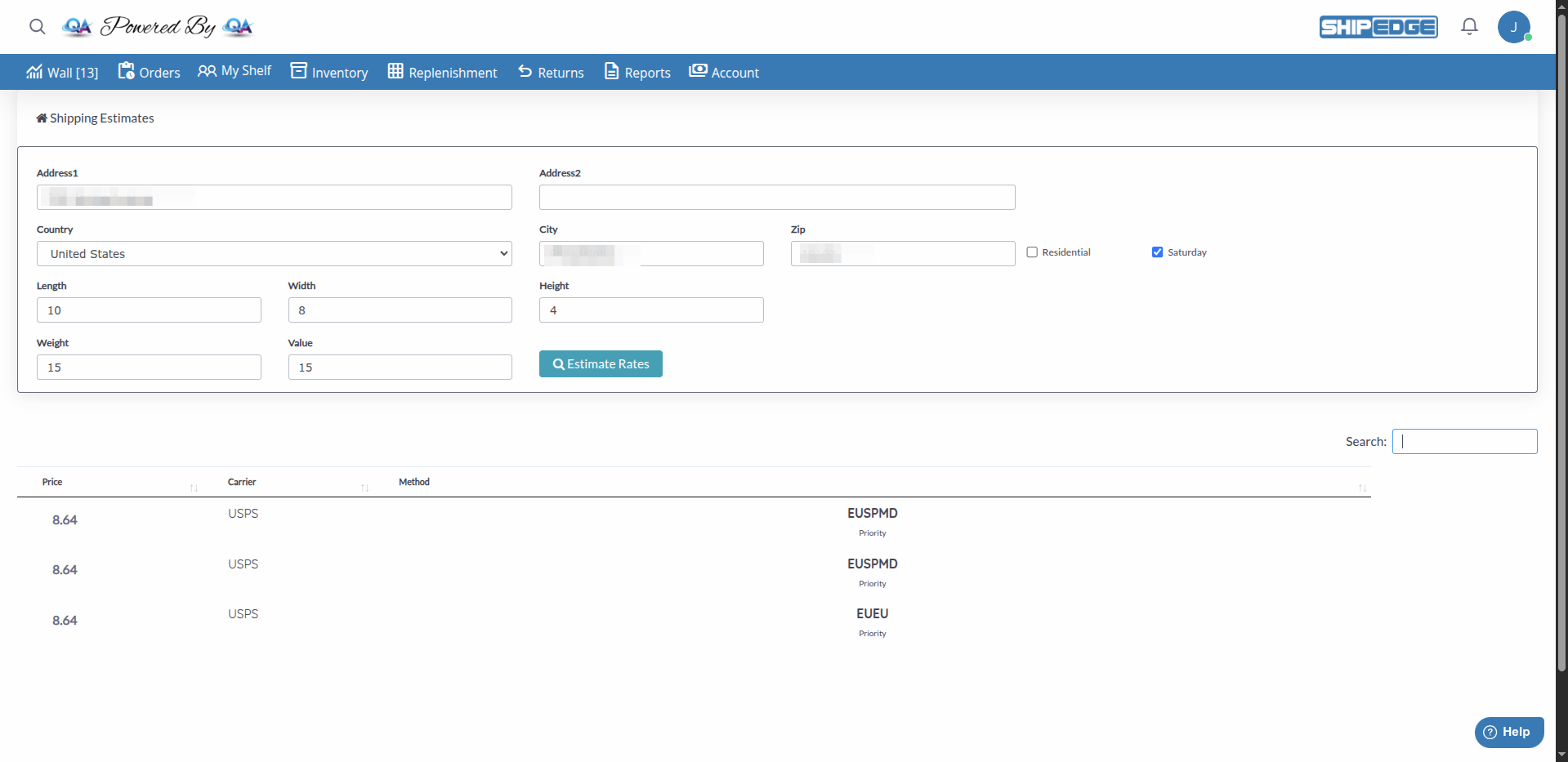
View all available shipping options from multiple carriers in a single view, sorted by price for easy comparison.
Get accurate cost estimates before creating orders, helping you set correct expectations with your customers.
Explore different shipping methods including standard, express, and Saturday delivery services to find the best option.
View detailed information including carrier, shipping method, method code, and final price with applied discounts.
Navigate to Menu
From the main menu, go to Account.
Select Shipping Estimates
In the dropdown menu, click “Shipping Estimates”.
View the Form
The “Shipping Estimates” page will open with a form to enter shipping information.
Complete Address Information
In the top section of the form, enter:
Enter Package Dimensions
In the dimensions section, enter:
Specify Weight and Value
Complete the following fields:
Search Rates
Click the “Estimate Rates” button.
View Results
The system will display a table with all available shipping options, including:
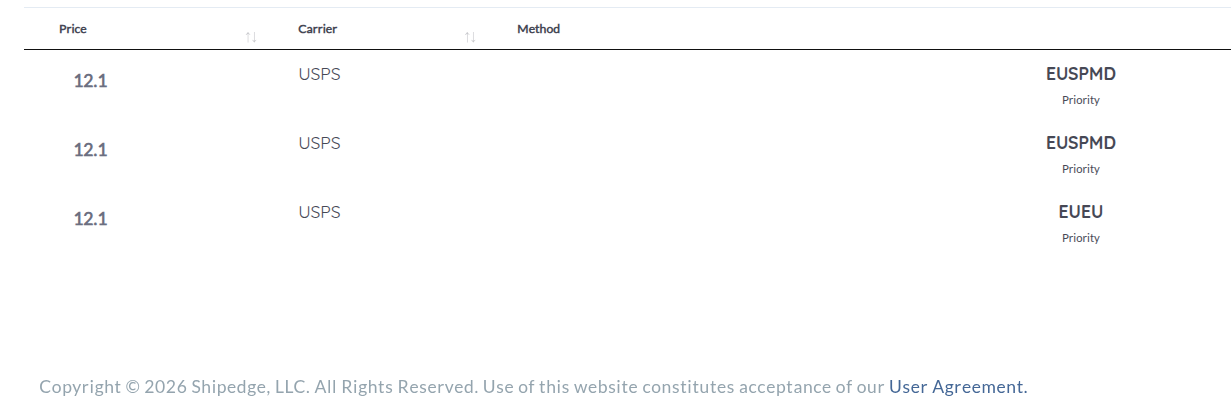
The table shows all available shipping options sorted by price (lowest to highest). Each row includes:
You can filter results using the global search field at the top of the table:
Results are automatically sorted by price from lowest to highest, but you can click column headers to change the order.
Always enter package dimensions to get more accurate estimates. The system uses dimensional weight when dimensions are large.
Correctly mark whether the address is residential or commercial, as some carriers have different rates for each type.
Review all available options before deciding. Sometimes a faster method can be more economical than a standard one.
If you’re shipping valuable items, enter the declared value to see how it affects insurance cost.
Problem: You click “Estimate Rates” but no results appear.
Solution:
Problem: The displayed rates don’t match what’s expected.
Solution:
Problem: The page doesn’t load or shows errors.
Solution:
Problem: You only see some carriers but expected to see more options.
Solution:
rates_visible = 'show-all')Next Step: Rate Shopping - Compare rates and find the best option